


SPONSORED What's This?
5 Best Options to Convert Your Old VHS Tapes to Digital (Compare VHS Conversion Services Side by Side)
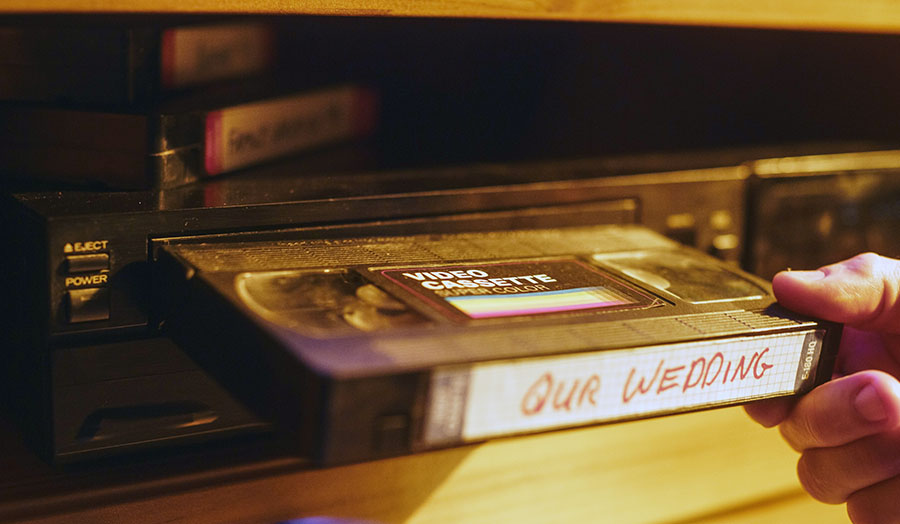
If you’ve got a collection of old VHS tapes filled with family memories or classic films, you may want to preserve them before they become unplayable. VHS tapes, which were once the main way to watch movies and record special moments, can degrade over time. In fact, industry experts say that VHS tapes lose 10-20% of their quality every 10-15 years, making them harder to play or watch.
Luckily, converting VHS to digital is easier than ever, and you don’t need to be a tech expert to get it done.
Without further delay, let’s dive into the best options to convert your old VHS tapes to digital!
- Best Overall: iMemories
- Best DIY Option: Elgato Video Capture
- Best for Budget-Friendly: Costco Photo Center
- Best for Customization: ClearClick Video to Digital Converter
- Best for High-Volume Projects: Legacybox
Now, let’s dive into each one specifically, covering prices, pros, and cons to help you find the best choice for preserving your memories.
1. Best Overall: iMemories
When it comes to converting your old VHS tapes to digital, iMemories is our top choice for 2024. Founded in 2005, iMemories has over 15 years of experience in converting VHS tapes, DVDs, film reels, photos, and even negatives into digital formats. With high ratings and a reputation for quality, iMemories offers a variety of services that make it easy to preserve your cherished memories.
Pros:
- High-Quality Digitization: iMemories guarantees excellent scanning quality, ensuring your memories are preserved in the best possible way.
- Convenient Shipping: With the SafeShip Kit, your tapes and photos are securely sent via FedEx, so you can feel confident that your originals will be returned safely.
- Multiple Formats: Choose from digital files, DVDs, or Blu-Ray discs. You can also opt for cloud storage to easily access and share your memories from any device.
- Affordable Pricing: Pricing starts at $14.99 per VHS tape and $19.99 per DVD or Blu-ray disc. iMemories also offers a subscription service for cloud storage at $7.99 per month or $49.99 per year.
- Free Quote: You can get a free, no-obligation quote before deciding, so you know the cost upfront.
- 30-Day Money-Back Guarantee: iMemories offers a 30-day money-back guarantee, which adds extra peace of mind.
Cons:
- Turnaround Times: Some customers have complained about delays in receiving their digitized media, which may be frustrating if you’re on a tight timeline.
- Additional Fees: There are occasional complaints about unexpected charges for additional services, such as extra copies or storage options.
- Occasional Errors: A few users have mentioned missed clips or errors in the digitization process, leading to some frustration.
Pricing:
- VHS to Digital: $14.99 per tape
- DVD/Blu-ray Copies: $19.99 per disc
- Cloud Storage: $7.99/month or $49.99/year
- Photo Digitization: $0.49 per photo
Reviews:
iMemories has a great reputation, with a 4.8 rating from almost 4,000 reviews on Google. Many customers appreciate how easy it is to use the service and are happy with the high-quality results.
Promo Codes:
Right now, you can get 50% OFF the SafeShip Kit when you order today, making it an even better deal for those looking to preserve their memories.
2. Best DIY Option: Elgato Video Capture
If you're looking for a DIY (Do It Yourself) option to convert your VHS tapes to digital, the Elgato Video Capture is an excellent choice. This product allows you to easily connect your VHS player to your computer and digitize your old tapes right at home.
Pros:
- Easy to Use: The Elgato Video Capture is simple to set up, with step-by-step instructions to guide you through the process.
- Affordable: At about $80, it’s a one-time purchase that saves you money if you have multiple tapes to convert.
- Good Quality: The conversion quality is solid, providing clear video and audio for most VHS tapes.
- Quick Conversion: Once connected, the software helps you quickly convert your VHS tapes without the need for complex steps.
- Control Over Process: You have full control over the conversion, so you can decide when to start and stop, and you can save the files directly to your computer.
Cons:
- Limited Editing Options: The software doesn’t have advanced video editing features, so if you need to cut or enhance footage, you’ll need extra software.
- Setup Can Be Tricky: Some users report that it takes a little time to get everything set up, especially if you’re new to video editing or capturing software.
- Requires a Computer: Since it’s a DIY solution, you need a computer to use the device, which might not be ideal for everyone.
DIY vs. Mail-In VHS Conversion Services
Using Elgato Video Capture compared to sending your tapes to a mail-in service (like iMemories or Legacybox) has some important differences:
- Ease of Use: Mail-in services are much easier if you’re not tech-savvy. You simply send your tapes in, and the company does all the work. With Elgato, you’re responsible for setting everything up and handling the conversion yourself.
- Time and Effort: With mail-in services, you don’t need to do anything except pack and send your tapes. However, you may have to wait a few weeks to get your digitized files back. Elgato Video Capture lets you convert your tapes right away, but it requires more effort to set up and use.
- Cost: The Elgato Video Capture is a one-time purchase of about $80, which is affordable if you have a lot of tapes. Mail-in services charge per tape (around $14.99 per VHS), and extra fees for DVDs or Blu-rays can make it more expensive depending on how many tapes you have.
Customer Ratings:
The Elgato Video Capture has a 4.5 out of 5 stars rating on Amazon. Many users are happy with how easy it is to use and how well it converts tapes. Some customers also mention that it works well for people who want to preserve their memories without sending them away. However, a few users said the initial setup could be confusing, especially if you're not familiar with video capture software.
3. Best for Budget-Friendly: Costco Photo Center
When it comes to converting your old VHS tapes to digital, Costco Photo Center offers a solid and affordable option. It’s a great choice for those on a budget who still want quality results without breaking the bank. Let's dive into the pros and cons of using Costco for your VHS-to-digital conversion.
Pros:
- Affordable Prices: Costco is known for its competitive pricing. Their VHS-to-digital service is cheaper than many other options, making it ideal for those looking to convert a few tapes without spending too much.
- Simple Process: The process is straightforward. You can drop off your tapes at your local Costco Photo Center, and they handle the conversion for you. This makes it convenient if you're already a Costco member and visit the store regularly.
- No Need to Ship: Unlike services like iMemories, which require you to mail your tapes, you can simply take your VHS tapes to Costco, avoiding any shipping hassles.
- Quality Results: Costco offers a decent quality conversion. While it may not be as high-end as some specialized services, most users are satisfied with the digital results, especially for the price.
Cons:
- Limited Services: While the conversion quality is good, Costco’s service doesn’t offer as many options as others. For example, you won’t have the choice of getting DVDs, Blu-rays, or USB drives along with your digital files. Instead, you typically just get digital downloads.
- Turnaround Time: Some users have mentioned that the turnaround time can be a bit long, depending on how busy your local Costco Photo Center is. It's not the fastest service available.
Final Thoughts
If you're looking for an affordable and simple solution, Costco Photo Center is a great choice. It's budget-friendly and convenient, especially if you're already a Costco member.
However, if you want extra features or higher-quality results, services like iMemories may be a better fit, and if you're up for a DIY approach, Elgato Video Capture gives you full control over the process. But for most people who just need a quick and affordable conversion, Costco is a solid option.
4. Best for Customization: ClearClick Video to Digital Converter
If you want a customizable option for converting your VHS tapes, the ClearClick Video to Digital Converter is a great choice. It lets you adjust settings to suit your needs and gives you more control over the conversion process.
Pros:
- Customizable Settings: You can change video settings like quality and file format to get the best result for your needs.
- Works with Different Formats: This device can convert not just VHS tapes, but also VHS-C, Hi8, and MiniDV, so it’s great for all kinds of old tapes.
- No Computer Needed: You don’t need a computer to use it. Just plug it into a USB drive or SD card to store your videos, making it easier and more portable.
- Simple Setup: The device is easy to set up and comes with instructions that help you get started quickly.
- Affordable: Compared to professional services, this device is much more affordable, giving you a way to convert tapes at home without spending too much.
Cons:
- Manual Process: Like other DIY converters, you have to convert each tape one by one, which can take time if you have many tapes.
- No Advanced Editing: It’s good for basic conversions, but it doesn’t come with features to edit your videos if you need more complex changes.
- Possible Tech Issues: Some users have reported problems with connections or syncing, but these issues are not very common and can usually be fixed easily.
Final Thoughts
The ClearClick Video to Digital Converter has a rating of 4.2 stars on Amazon, based on over 1,000 reviews. Many people like how easy it is to use and appreciate the ability to adjust settings for better video quality.
5. Best for High-Volume Projects: Legacybox
Legacybox is a great choice if you have many VHS tapes or other media formats you want to convert to digital. They specialize in handling large projects, making it easy to preserve a large collection of memories all at once. Whether you have dozens or hundreds of tapes, Legacybox can take care of it all.
Pros:
- Perfect for Large Projects: Legacybox is designed to handle multiple tapes, photos, and film reels, making it ideal for people with high-volume conversion needs.
- Convenient Process: You simply send in your tapes using their prepaid shipping box, and they take care of everything from digitizing to shipping your originals back.
- High-Quality Conversion: Legacybox guarantees clear, professional-grade results, ensuring that your memories are preserved with great quality.
- All-Inclusive Packages: They offer packages that include digitization of tapes, photos, and even film reels, so you don’t need to worry about separate services.
- Safe and Secure: They use secure shipping to ensure your tapes are protected, and they return your originals after conversion.
Cons:
- Higher Price: Legacybox can be pricier compared to other options, especially if you have a large number of tapes to convert.
- Longer Turnaround Time: Since they handle large orders, the turnaround time can sometimes be longer, taking several weeks to complete.
- Extra Costs for Add-ons: Things like receiving DVDs, Blu-rays, or extra copies can cost more, so the final price may be higher than expected.
Final Thoughts
Legacybox is an excellent choice if you have a large number of VHS tapes or other media to digitize and want a hassle-free, professional service. While it can be more expensive than some alternatives and may take longer to complete, the quality of the service and ease of use make it a top pick for high-volume projects.
